
Hi there! Did you know that poor email deliverability can harm your business? In fact, it can negatively affect individuals, too! A bad webmail score can cause your emails to end up in the spam or junk folder. Sometimes, it doesn’t even go to the destination! And that’s why this tutorial is made. We will add DMARC, DKIM & SPF to our domain. Adding these DNS records will ensure a great email transaction directly into the inbox! (Not for those servers that have a very bad reputation.) Let’s Get Started!
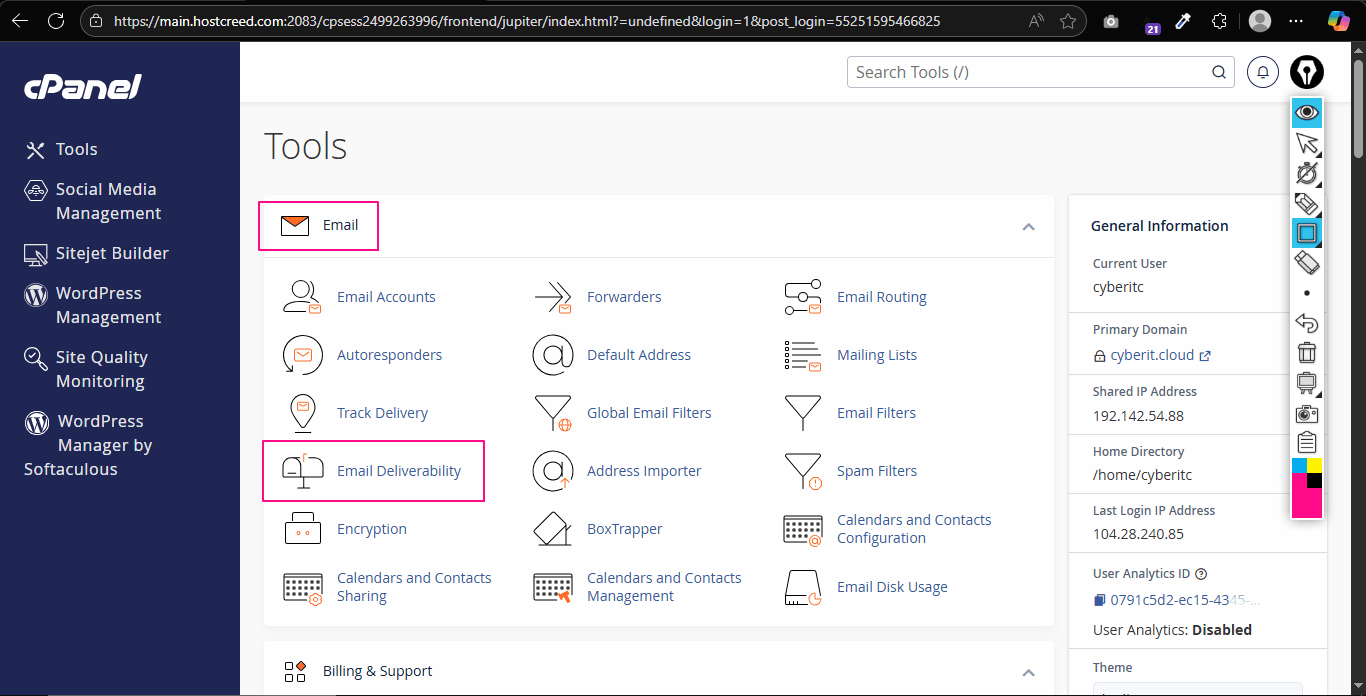
I assume you have web hosting from HostCreed. And obviously, we have cPanel here! At First Login to your cPanel. Under the email section, click on Email Deliverability:
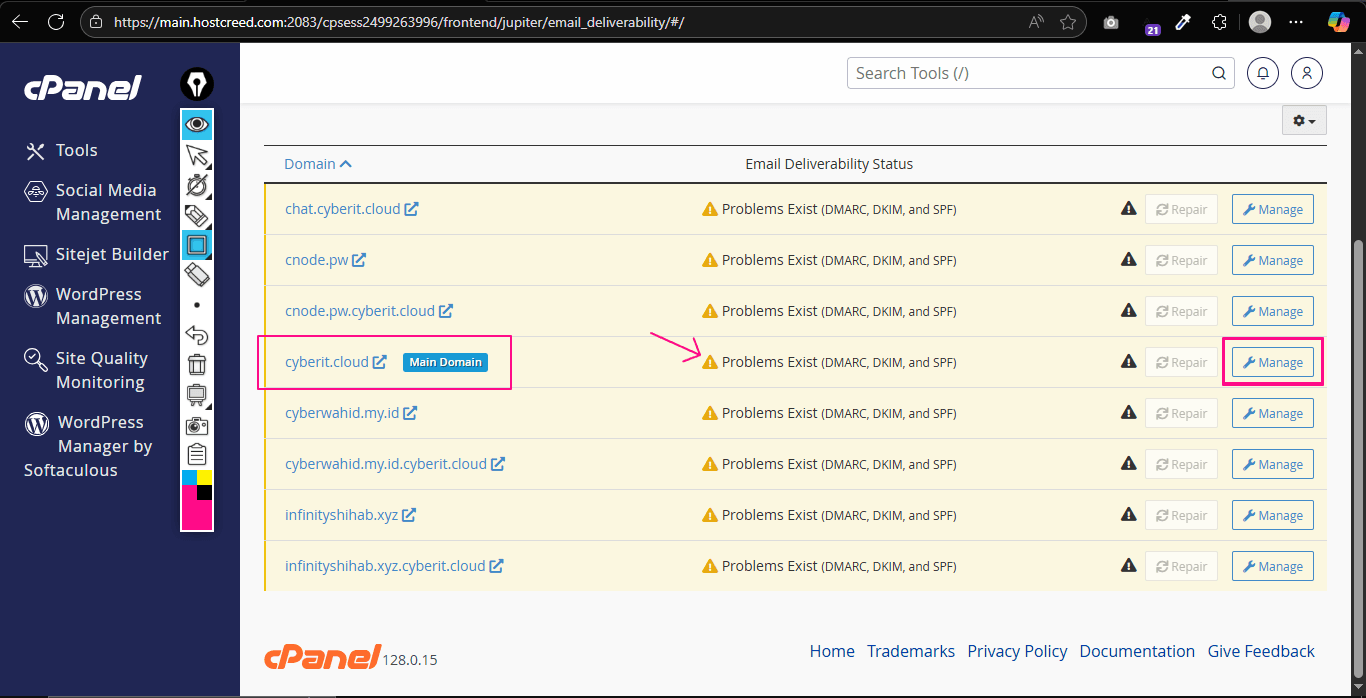
 And now cPanel will list all your domains with highlighted email delivery problems. Simply click on Manage.
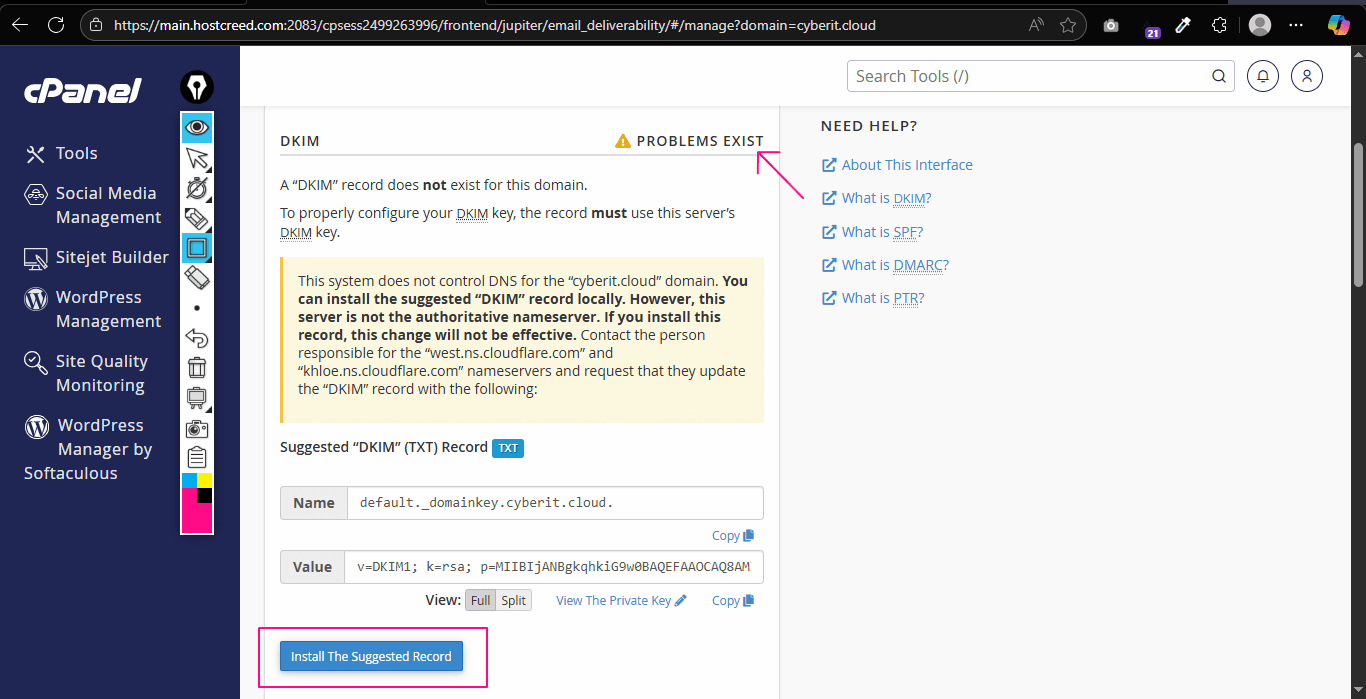
 Now you will see some suggested TXT Records. You need to add these records to your domain (into DNS). If you are using HostCreed’s Default Nameserver:
ns1.hostcreed.com &
ns2.hostcreed.com,
Then, just clicking on Install Suggested Record will automatically install those required DNS Records.
Now you will see some suggested TXT Records. You need to add these records to your domain (into DNS). If you are using HostCreed’s Default Nameserver:
ns1.hostcreed.com &
ns2.hostcreed.com,
Then, just clicking on Install Suggested Record will automatically install those required DNS Records.
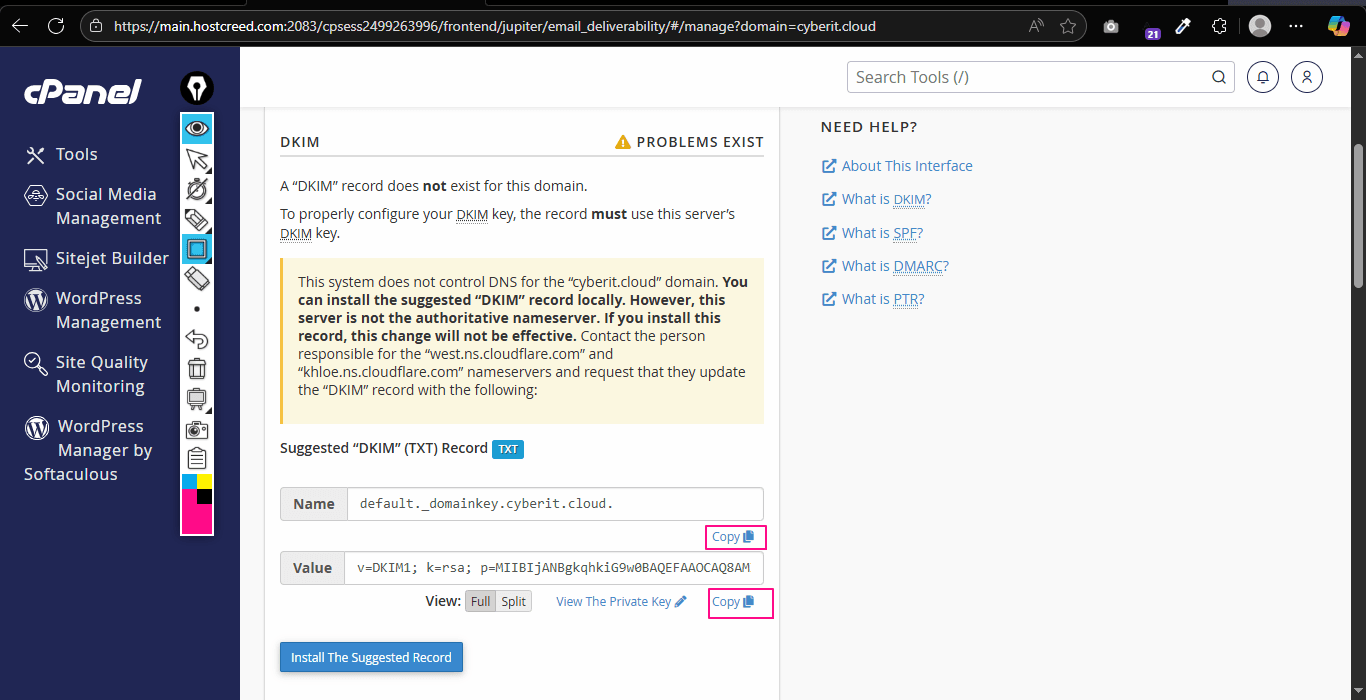
 However, if you are using Cloudflare or another CDN, you will need to manually copy all those records and insert them into your DNS management panel. But don’t worry, here’s how to do it.
Copy both Name & Value fields records.
However, if you are using Cloudflare or another CDN, you will need to manually copy all those records and insert them into your DNS management panel. But don’t worry, here’s how to do it.
Copy both Name & Value fields records.
 Go to Cloudflare Dashboard – Your Domain – DNS:
1:
Go to Cloudflare Dashboard – Your Domain – DNS:
1:
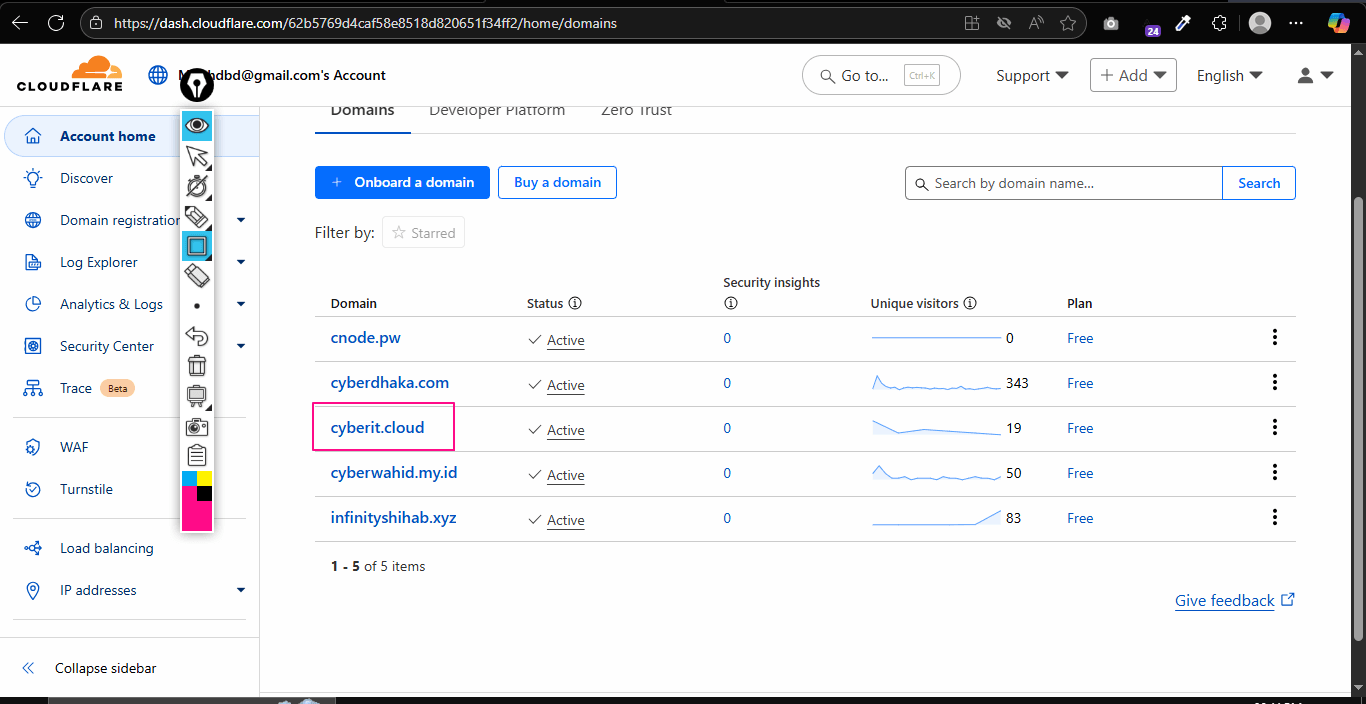 2:
2:
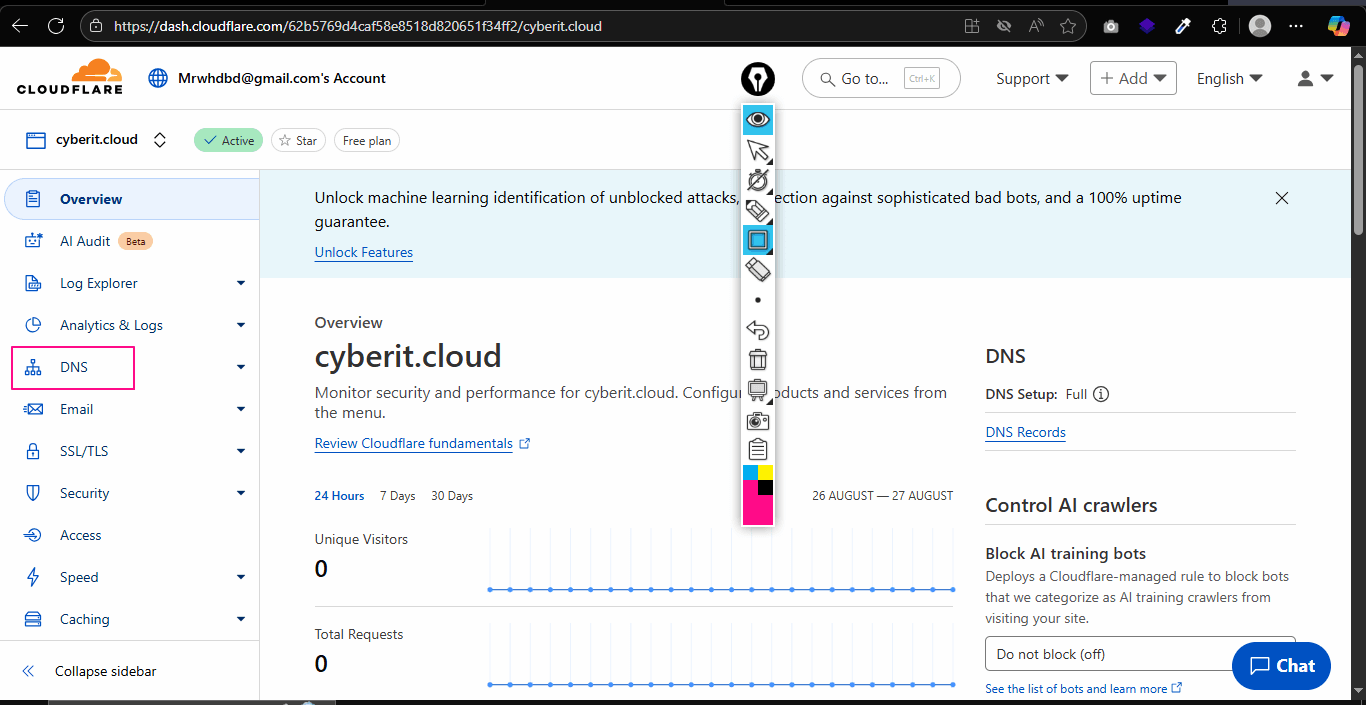 And Click on Add Records.
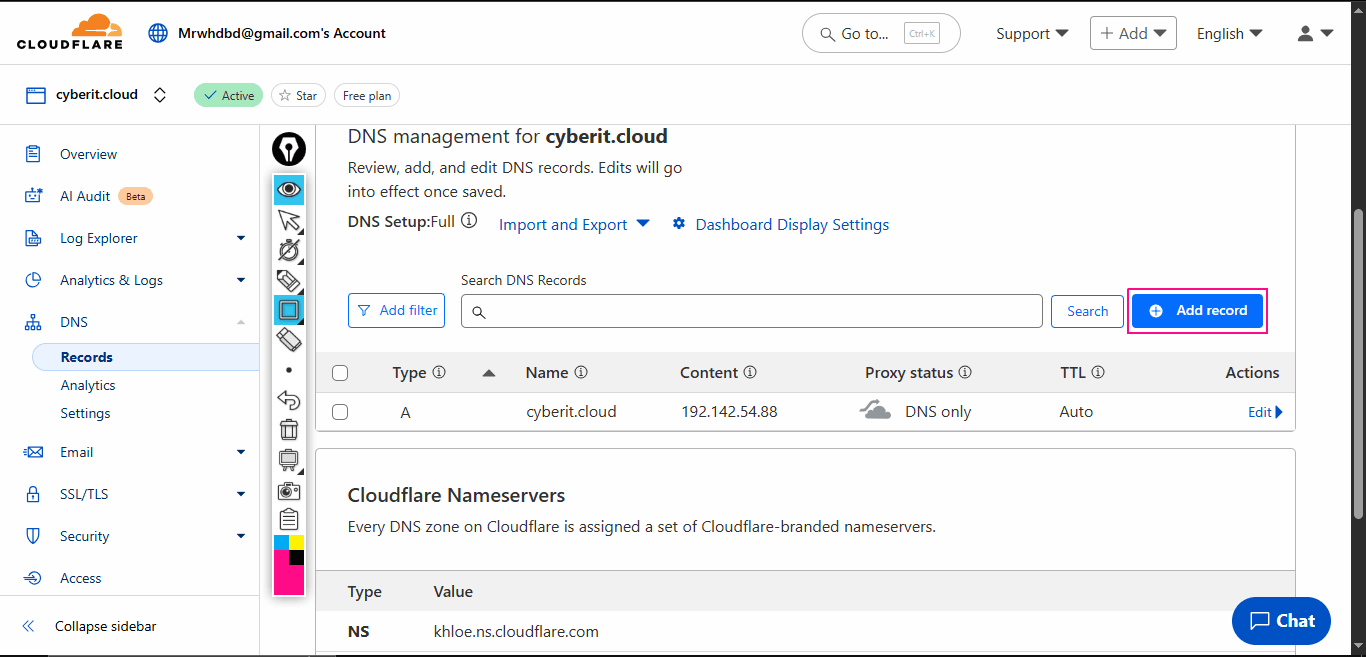 Select Type = TXT
Name: (Paste the contents of the Name box from cPanel (on the email deliverability page))
Content: (Paste the contents of the Value box from cPanel (on the email deliverability page))
Finally, click on save. This is how to add the remaining 2 records also. All 3 records are the same (TXT)
Select Type = TXT
Name: (Paste the contents of the Name box from cPanel (on the email deliverability page))
Content: (Paste the contents of the Value box from cPanel (on the email deliverability page))
Finally, click on save. This is how to add the remaining 2 records also. All 3 records are the same (TXT)
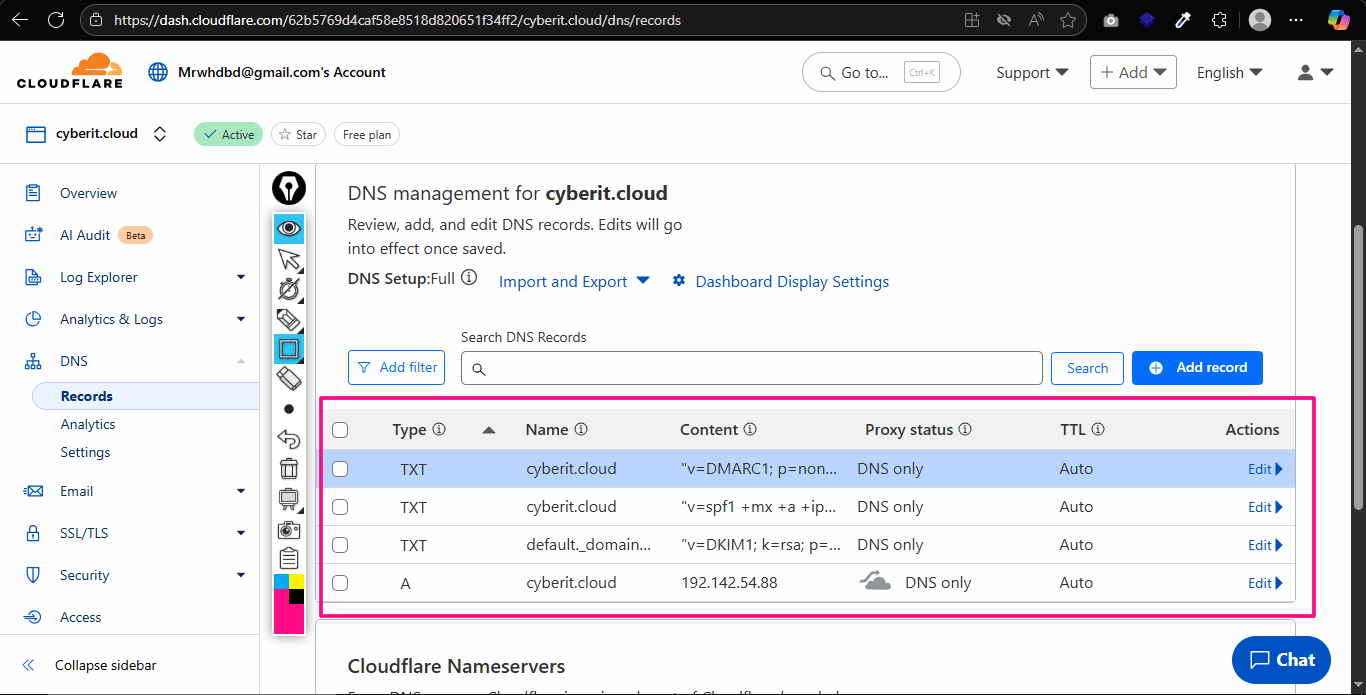
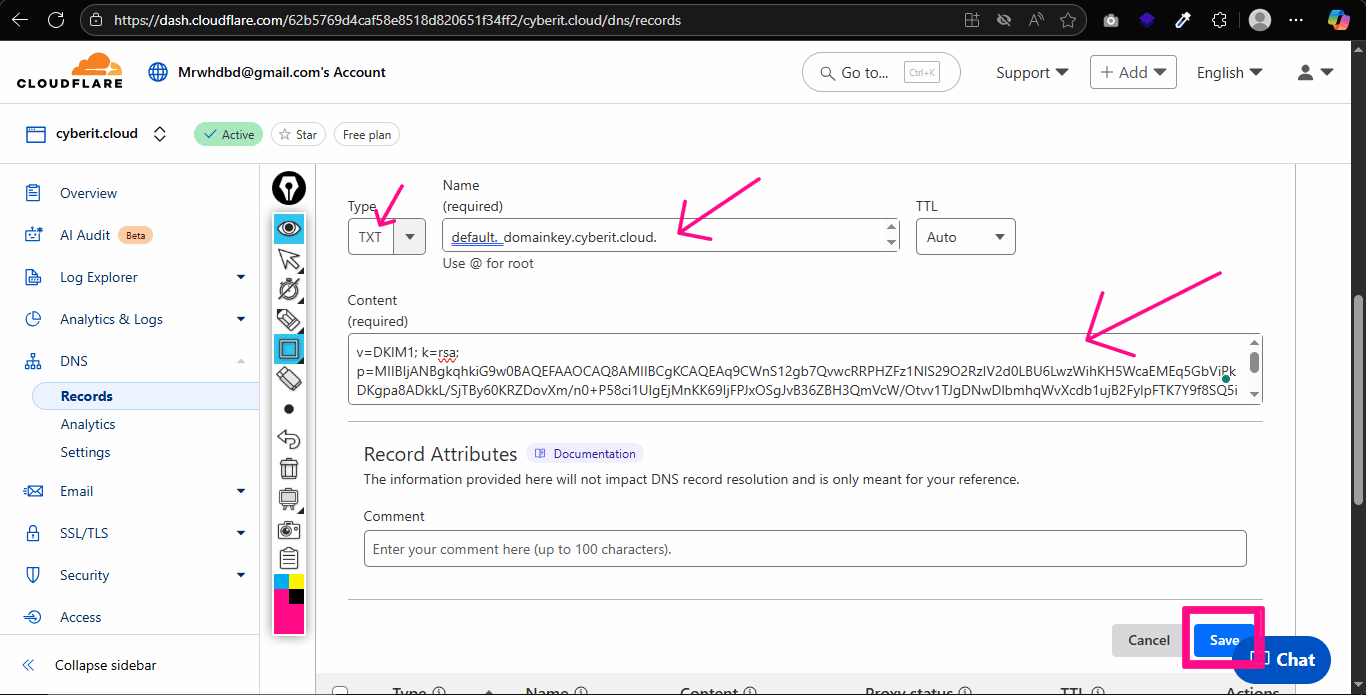 Here you go, I have added all those 3 TXT records.
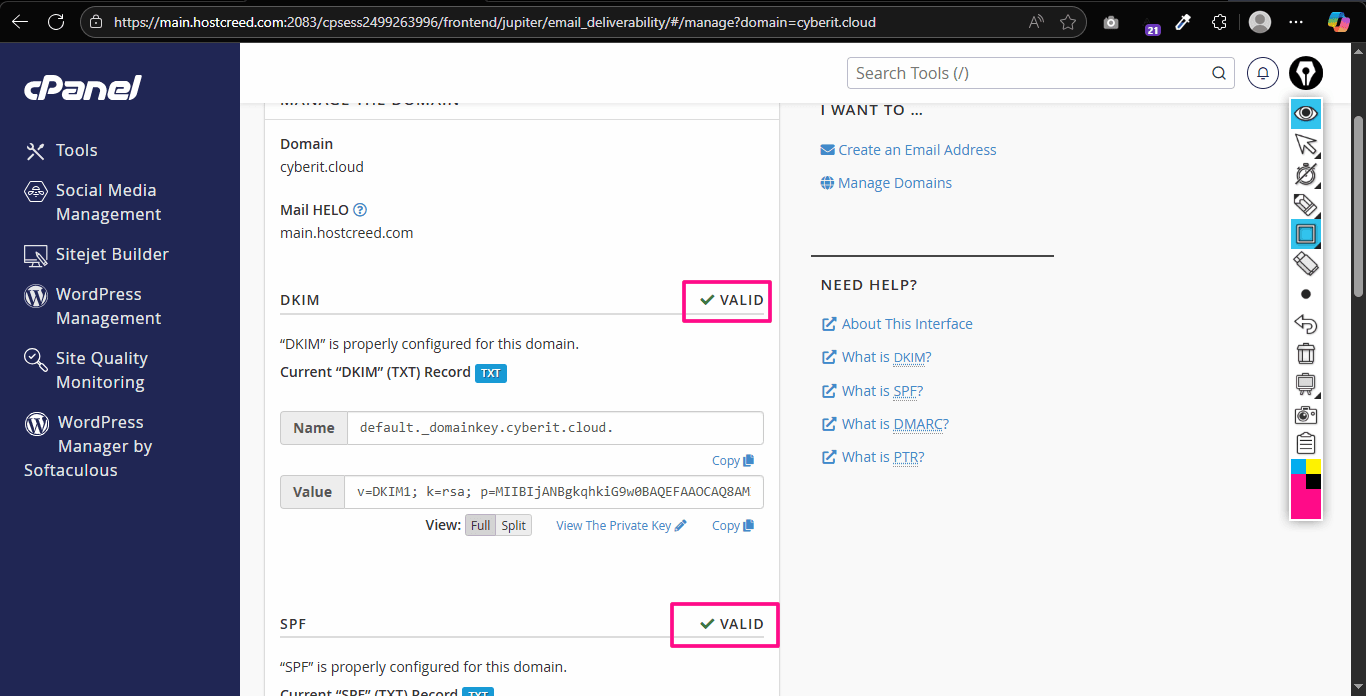
 Now, if you refresh the Email Deliverability Page, you will see it saying Valid.
 All set! Now you can send emails quickly and accurately to anyone’s inbox. Your emails will be delivered directly into the inbox.
Note: Sending Spam Emails will definitely cause your webmail trouble even if you set up these records. So make sure to stay ethical and hygine.
All set! Now you can send emails quickly and accurately to anyone’s inbox. Your emails will be delivered directly into the inbox.
Note: Sending Spam Emails will definitely cause your webmail trouble even if you set up these records. So make sure to stay ethical and hygine.
And now cPanel will list all your domains with highlighted email delivery problems. Simply click on Manage.
Now you will see some suggested TXT Records. You need to add these records to your domain (into DNS). If you are using HostCreed’s Default Nameserver:
ns1.hostcreed.com &
ns2.hostcreed.com,
Then, just clicking on Install Suggested Record will automatically install those required DNS Records.
However, if you are using Cloudflare or another CDN, you will need to manually copy all those records and insert them into your DNS management panel. But don’t worry, here’s how to do it.
Copy both Name & Value fields records.
Go to Cloudflare Dashboard – Your Domain – DNS:
1:
2:
And Click on Add Records.
Select Type = TXT
Name: (Paste the contents of the Name box from cPanel (on the email deliverability page))
Content: (Paste the contents of the Value box from cPanel (on the email deliverability page))
Finally, click on save. This is how to add the remaining 2 records also. All 3 records are the same (TXT)
Here you go, I have added all those 3 TXT records.
Now, if you refresh the Email Deliverability Page, you will see it saying Valid.
All set! Now you can send emails quickly and accurately to anyone’s inbox. Your emails will be delivered directly into the inbox.
Note: Sending Spam Emails will definitely cause your webmail trouble even if you set up these records. So make sure to stay ethical and hygine.
